Download PS3 BIOS firmware (PS3UPDAT.PUP) for RPCS3 and aPS3e 2026
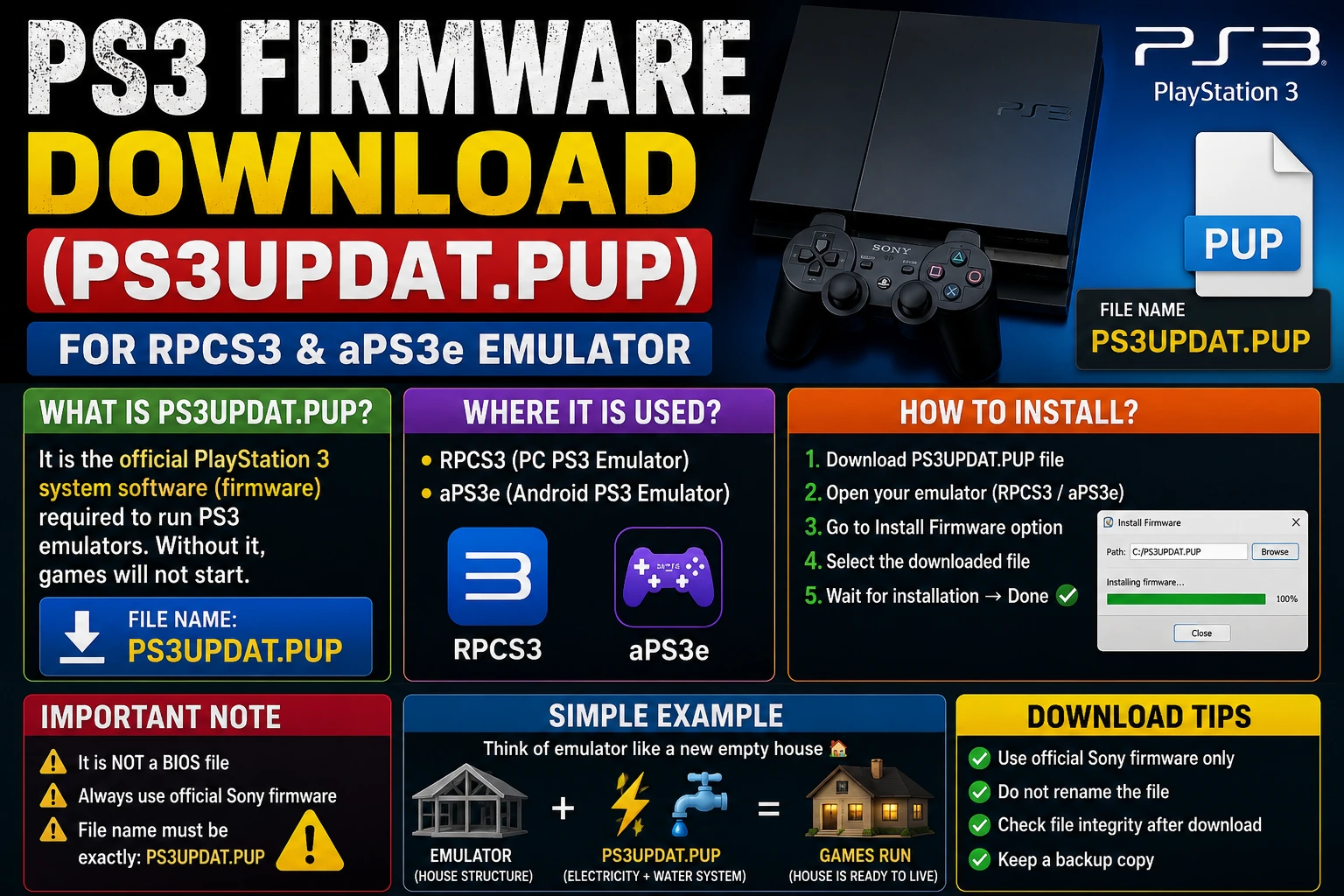
Tried setting up RPCS3 and getting a black screen or a “firmware not installed” error? The fix is simpler than you think. The PS3 BIOS file is officially called PS3UPDAT.PUP is the complete PlayStation 3 system firmware that RPCS3 needs to run every PS3 game on your PC or Mac. Unlike PS1 and PS2 BIOS files, Sony provides this file for free on their official website. No grey areas. No third-party sites. Just a direct download from our website and two clicks inside RPCS3.
This guide walks you through everything that the PS3 BIOS is, how to download it legally, how to install it on RPCS3 for Windows and macOS, and what is actually happening with PS3 emulation on Android in 2026. Every common error is covered with its exact fix at the bottom.
PS3 BIOS Information Table
| Detail | Information |
| File Name | PS3 Bios (PS3UPDAT.PUP) |
| Current Version | 4.93 (March 2026) |
| File Size | 196 MB |
| Format | .PUP (PlayStation Update Package) |
| Compatible Emulators | RPCS3, aPS3e, RPCSX |
| Supported Platforms | Windows, macOS, Linux, Android |
| Official Download | Sony PlayStation Support free and legal |
| Last Updates | 2 Days Ago |
What Is the PS3 BIOS?
The PS3 BIOS is the system firmware file that every PlayStation 3 emulator needs to run games. On a real PS3 console, this firmware is stored inside the console’s internal memory and runs automatically the moment you power it on. It is the software layer that starts the hardware, loads the XMB (XrossMediaBar) interface you see on the PS3 home screen, authenticates game discs, and manages every system function from controller input to save data.
When you use RPCS3, the leading PS3 emulator for PC, the software recreates the PS3 hardware environment on your computer. But to accurately simulate how the PS3 operates at the system level, RPCS3 needs the original firmware. It extracts the operating system components, PPU (Power Processing Unit) modules, NPDRM authentication keys, and system libraries directly from PS3UPDAT.PUP and uses them to build the virtual environment your games run inside.
Without the PS3 BIOS installed, RPCS3 cannot load a single game. No exceptions.

PS3 BIOS vs PS1 and PS2 BIOS Key Differences
If you have set up PS1 or PS2 emulation before, you know the routine — find a BIOS file, place it in a folder, and point the emulator to it. The PS3 is different in three important ways.
Size and complexity. The PS1 BIOS is 512KB. The PS2 BIOS is 4MB. The PS3 firmware PS3UPDAT.PUP is approximately 196MB because it contains a full operating system built around Sony’s Cell Broadband Engine, a unique processor architecture co-developed by Sony, IBM, and Toshiba that no other consumer device has ever used.
How the emulator uses it. With PS1 and PS2, you point the emulator to a BIOS file every session. With RPCS3, you install the firmware once through the built-in installer. It extracts everything it needs into RPCS3’s internal directories permanently. After that, you never touch the file again.
Where do you get it? The PS1 and PS2 BIOS files have no official download. The PS3 firmware is completely different. Sony distributes PS3UPDAT.PUP on their official PlayStation support page as a free download. Downloading it is entirely legal.
| PS1 BIOS | PS2 BIOS | PS3 Firmware | |
| File Name | scph1001.bin | SCPH-39001.bin | PS3UPDAT.PUP |
| File Size | 512KB | ~4MB | ~196MB |
| Official Sony Download | No | No | Yes — free |
| Format | .BIN | .BIN | .PUP |
| How Used | Loads every session | Loads every session | Installed once permanently |
Top Key Features PS3 BIOS
Most guides skip this completely. Knowing what is inside PS3UPDAT.PUP helps you understand why RPCS3 needs it and why nothing works without it.
PS3 Operating System Kernel
The core software that manages all hardware resources, memory allocation, and process scheduling on the Cell Broadband Engine. Without this, RPCS3 has no system environment to run games inside.
PPU (Power Processing Unit) Modules
compiled software modules that handle game loading, disc authentication, controller input, and audio output. When you see “Compiling PPU Modules” the first time you launch a PS3 game in RPCS3, it is processing these modules from your installed firmware.
NPDRM Authentication Keys
The encryption keys required to decrypt digital PSN games are.PKG format. Without these keys, RPCS3 cannot open or run any digitally downloaded PS3 game.
RSX (Reality Synthesizer) Firmware
software components related to the PS3’s GPU, which RPCS3 uses alongside its Vulkan or OpenGL renderer to accurately handle the PS3’s graphical output.
System Libraries and APIs
The complete set of PlayStation 3 system functions that game developers used when writing PS3 games. Games communicate with the PS3 hardware through these libraries, and RPCS3 must have them to handle those calls correctly.
This is exactly why PS3UPDAT.PUP is 200MB while PS1 and PS2 BIOS files are a few megabytes. It is not just boot code. It is an entire operating environment.
Quick Fact: Sony launched the PlayStation 3 on November 11, 2006, in Japan. The PS3’s Cell Broadband Engine contained one PPE (Power Processor Element) and six active SPEs (Synergistic Processing Elements) running at 3.2GHz. This architecture was so radically different from standard PC hardware that RPCS3 took over a decade to reach broad game compatibility. As of April 2026, over 70% of the PS3 library is classified as Playable in RPCS3’s official compatibility database.
How to Download PS3 BIOS (PS3UPDAT.PUP) Official Sony Method
The best part about PS3 BIOS setup is that you get it directly from Sony, or you can download it from our website. No searching, no sketchy sites, no compressed files from unknown sources.
Step 1. Open your browser and go to the official PlayStation support page:
playstation.com/en-us/support/hardware/ps3/system-software/
Step 2. Scroll down to the section labeled “Update using a computer” and click “Download PS3 Update.”
Step 3. The file that downloads is named PS3UPDAT.PUP. Save it somewhere easy to find — your Downloads folder works perfectly.
Tip: If the download button does not respond, right-click “Download PS3 Update” and select “Save Link As” or “Copy Link Address” and paste it directly into your browser. This works on all browsers.
Step 4. Confirm the filename is exactly PS3UPDAT.PUP — uppercase, no extra characters. Do not rename it. RPCS3’s firmware installer looks for this exact filename.
The current version is 4.93 (released March 2026). Always download the latest version available — RPCS3 is tested and optimized against the current firmware.
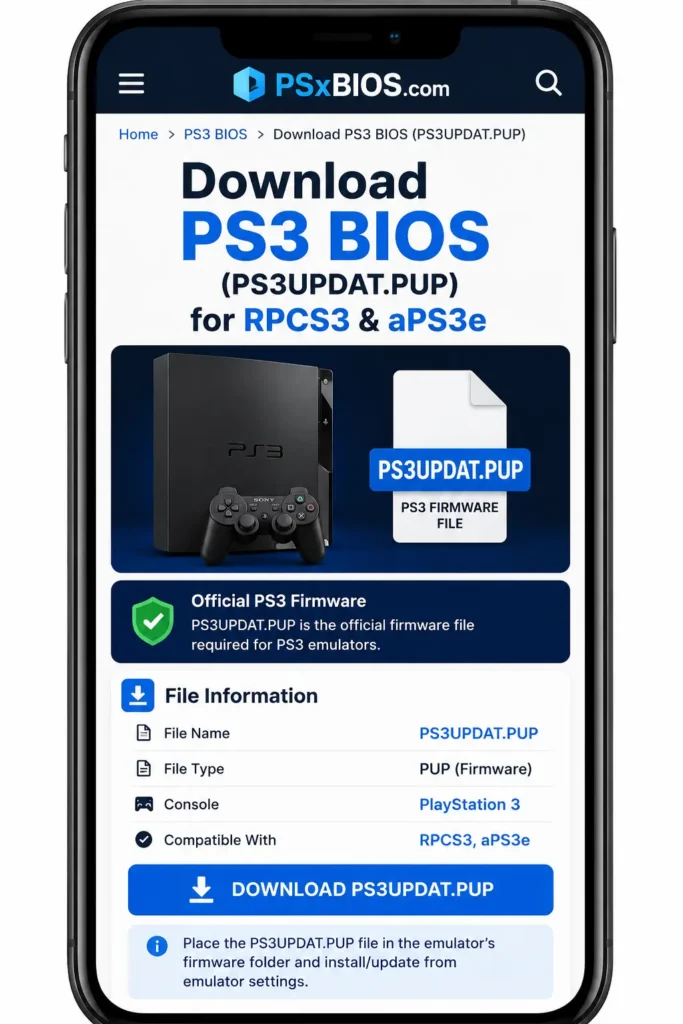
The best part about PS3 BIOS setup is that you get it directly from Sony, or you can download it from our website. No searching, no sketchy sites, no compressed files from unknown sources.
PS3 Firmware Version History
| Version | Release | Key Changes |
| 4.93 | March 2026 | The latest version improved performance and stability patches |
| 4.91 | Early 2025 | Performance improvements |
| 4.90 | 2024 | System stability and security improvements |
| 4.89 | 2023 | PlayStation Network login system changes |
| 4.88 | 2022 | Standard performance update |
| 4.87 | 2021 | Stability improvements |
| 1.00 | November 2006 | Original PS3 launch firmware |
Always use the latest version (4.93) with RPCS3. Older firmware versions can cause unexpected errors with current RPCS3 builds.
What is The RPCS3 Emulator for PC
RPCS3 is the world’s only fully functional open-source PlayStation 3 emulator. It was first released in 2011, and after over a decade of continuous development, it now runs over 70% of the PS3 library from start to finish without major issues.
In April 2026, the RPCS3 team published their first official structured system requirements, confirming that the project has matured enough to define exactly what hardware users need.
RPCS3 Emulator Key Features:
- Completely free and open-source available at rpcs3.net
- Supports Windows, macOS, Linux, and FreeBSD
- Vulkan and OpenGL rendering resolution scaling up to 4K and beyond
- Community patches for 60FPS, widescreen, and performance improvements
- DualShock 3, DualShock 4, DualSense, and Xbox controller support
- Auto-updating builds are released daily
RPCS3 Emulator Official 2026 System Requirements
The RPCS3 team published these requirements officially in April 2026.
Minimum (Limited game selection)
| Component | Requirement |
| CPU | Any x64 CPU — AVX2 strongly preferred |
| GPU | Vulkan 1.2 compatible — OpenGL 4.3 fallback |
| RAM | 8GB single-channel performs poorly |
| Storage | SSD recommended |
| OS | Windows 10 / macOS 14.4+ / Linux |
Recommended (Most PS3 games run well)
| Component | Requirement |
| CPU | 6-core with AVX2 support |
| GPU | Dedicated AMD or NVIDIA GPU |
| RAM | 8GB dual-channel minimum |
| Storage | NVMe SSD |
Three important notes from the official requirements:
Intel GPUs are not supported. RPCS3’s official requirements explicitly state that Intel integrated graphics lack the required Vulkan features. Use AMD (including integrated Radeon) or NVIDIA.
AVX2 is critical. CPUs without AVX2 perform badly even if they meet core count requirements. Check your CPU at cpu-world.com to confirm AVX2 support.
Single-channel RAM hurts performance. Two 4GB sticks in dual-channel always outperform one 8GB stick in RPCS3. Install RAM in matching pairs.
How to Install PS3 BIOS on RPCS3 Emulator for Windows and macOS
Step 1: Download and Install RPCS3 Emulator
Go to rpcs3.net and download the latest version for your operating system.
For Windows: Download the ZIP or installer version. Before running RPCS3, install the Visual C++ Redistributable. The link is on the same download page, just below the main download button. If it says “Modify Installation,” you already have it.
For macOS: Download the DMG file. RPCS3 requires macOS 14.4 or newer. Move the application to your Applications folder.
Extract RPCS3 to a dedicated folder, such as C:\RPCS3\, on Windows. Keep everything in one folder because RPCS3 generates significant cache data as you play.
Step 2: Download PS3UPDAT.PUP From Sony
Follow the Sony download steps above and save PS3UPDAT.PUP to your computer.
Step 3: Open RPCS3 and Install Firmware
Launch RPCS3. On first run, it shows a Quickstart dialog — check the boxes and click Continue.
Go to File in the top menu and click Install Firmware.
In the file browser, navigate to PS3UPDAT.PUP and select it. Click Open.
If the file does not appear: Click the file type dropdown in the bottom-right corner of the browser and change it to “All Files.” The PUP file will become visible.
Alternative method: Drag and drop PS3UPDAT.PUP directly onto the RPCS3 window. The emulator accepts drag-and-drop for firmware installation.
Step 4: Wait for Compilation
After selecting the firmware, RPCS3 extracts and compiles the PS3 system modules. A progress bar shows the status. This takes between 2 and 10 minutes, depending on your CPU. Do not close RPCS3 during this process.
When it finishes, click OK. Your firmware is permanently installed.
Step 5: Verify the Installation
Go to Help > About in RPCS3. The firmware version should show 4.93. If it shows blank or 0.00, the installation did not complete. Restart RPCS3 and repeat Step 3.
Step 6: Add Your Game Library
Go to File > Add Games and navigate to your PS3 games folder. RPCS3 supports:
Disc-based games (Blu-ray rips): Folder dumps placed in your games directory. RPCS3 2026 also handles ISO files directly, no extraction needed.
Digital PSN games (.PKG files): Go to File > Install Packages/Raps/Edats, select your.PKG and . RAP files together, and click Open. Never rename these files — RPCS3 matches PKG and RAP by exact filename.
Step 7: Configure Essential Settings
Frame Limit: Go to Configuration > GPU and set Frame Limit to “PS3 Native.” Without this, certain games run at 2x speed, a confusing problem that this single setting fixes immediately.
GPU Device: Under Configuration > GPU, confirm your dedicated graphics card is selected. Make sure RPCS3 is not accidentally using integrated graphics.
Renderer: Use Vulkan for all AMD and NVIDIA GPUs.
Audio: If audio crackles, go to Configuration > Audio and enable Time Stretching.
Best RPCS3 Settings for Performance
CPU Settings
| Setting | Recommended Value |
| PPU Decoder | Recompiler (LLVM) |
| SPU Decoder | Recompiler (ASMJIT) |
| Preferred SPU Threads | Auto |
| Enable SPU Loop Detection | Enabled |
| SPU Cache | Enabled |
GPU Settings
| Setting | Recommended Value |
| Renderer | Vulkan |
| Resolution | 1280×720 to start scale up on powerful hardware |
| Frame Limit | PS3 Native |
| Anisotropic Filter | Auto |
| VSync | Enable if tearing is visible |
Audio Settings
| Setting | Recommended Value |
| Audio Out | Cubeb |
| Enable Buffering | Enabled |
| Enable Time Stretching | Enable if audio crackles |
PS3 Bios Emulation on Android 2026: The Honest Answer
This is the most-searched PS3 emulation topic in 2026 and the one with the most misleading information online. Here is what is actually happening.
RPCS3 does not have an official Android version. The earlier RPCS3-Android project was discontinued in April 2025. Two community-built replacements are currently active:
aPS3e (Google Play)
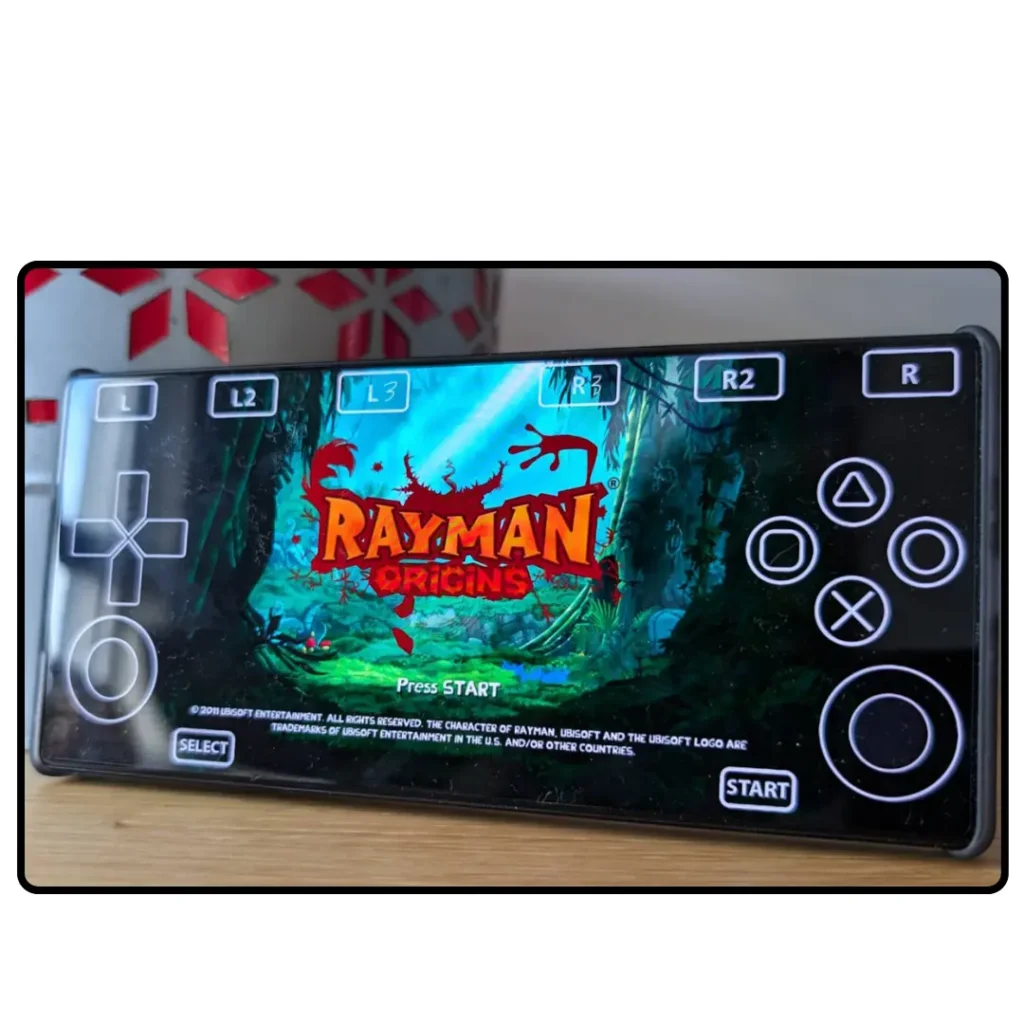
aPS3e is the most accessible PS3 emulator for Android, available directly on the Google Play Store. It requires PS3UPDAT.PUP to be manually installed, uses Vulkan rendering, and supports PS3 ISO files. As of April 2026, it is in active alpha development.
What works: Simple PS3 titles, PSN arcade games, basic fighting and racing games at reduced frame rates on flagship hardware.
What does not work: Demanding open-world games, titles requiring heavy SPU processing. The Last of Us, Uncharted series, and God of War III do not run at playable frame rates on any current Android device.
RPCSX (GitHub)
RPCSX is a GitHub-based PS3 emulator for Android built for ARM64 devices using Vulkan. It uses NCE (Native Code Execution), which runs PS3 ARM-compatible code directly on Android’s ARM64 processor rather than recompiling it. This gives better performance on Qualcomm Snapdragon devices compared to traditional approaches.
RPCSX requires Qualcomm Snapdragon MediaTek Dimensity chips, which lack the required Vulkan driver extensions and are not supported as of April 2026.
Android Performance Reality
| Device | Chipset | Realistic PS3 Performance |
| Flagship | Snapdragon 8 Gen 3 / 8 Gen 4 | 15-30 FPS on simple titles |
| High Mid-Range | Snapdragon 870 / 8 Gen 1 | 10-20 FPS on simple titles |
| Mid-Range | Snapdragon 778G | Below 15 FPS on most titles |
| Budget | Below Snapdragon 778G | Not viable |
The honest recommendation: If you want to play PS3 games on portable hardware today, the Steam Deck running RPCS3 delivers recommended performance for most titles. Android PS3 emulation is a fascinating technical project worth following — but it is not ready for casual gaming in 2026.
How to Install PS3 Bios on aPS3e Android
Step 1. Download aPS3e from the Google Play Store.
Step 2. Download PS3UPDAT.PUP from our website.
Step 3. Open aPS3e. Go to Settings > System > Install Firmware.
Step 4. Navigate to PS3UPDAT.PUP on your device and select it. aPS3e installs and extracts the firmware automatically.
Step 5. Add PS3 game files via File > Add Games and point aPS3e to your games folder.
How to Install PS3 Firmware on RPCS3 Steam Deck via EmuDeck
Steam Deck is one of the best platforms for PS3 emulation in 2026. RPCS3’s official requirements confirm that the Steam Deck reaches Recommended performance for most PS3 titles.
Step 1. Install EmuDeck from emudeck.com on your Steam Deck.
Step 2. Download PS3UPDAT.PUP from Sony’s support page using the Steam Deck browser in Desktop Mode.
Step 3. Open EmuDeck > RPCS3 > Install Firmware. Point it to your PS3UPDAT.PUP file.
Step 4. Place PS3 game files in /home/deck/Emulation/roms/ps3/
Step 5. Refresh your game library in EmuDeck. Games appear in Steam’s Game Mode under the PS3 category.
Best PS3 Games That Run Perfectly on RPCS3 in 2026
| Game | Status | Notes |
| Red Dead Redemption | Playable | Excellent with community patches |
| Persona 5 | Playable | Full speed 60FPS patch available |
| Demon’s Souls | Playable | Mostly playable some scenes are glitchy |
| God of War III | Playable | Full speed |
| Yakuza 4 and 5 | Playable | Full speed on Recommended hardware |
| Uncharted 2 | Playable | Stable with minor graphical issues |
| Tekken 6 | Playable | Full speed everywhere |
| Gran Turismo 5 | Playable | Full speed with correct SPU settings |
| LittleBigPlanet 2 | Playable | Full speed, saves correctly |
| The Last of Us | Ingame | Playable but with performance issues |
| Metal Gear Solid 4 | Playable | Mostly playable, some scenes are glitchy |
| Killzone 2 | Ingame | Below 60fps on most hardware |
Common Errors and Exact Fixes of the PS3 BIOS
Firmware Not Installed or “Cannot Boot Without Firmware.”
RPCS3 cannot find the installed PS3 firmware.
Fix: Go to File > Install Firmware. Re-download PS3UPDAT.PUP from Sony’s official page if your current file is not being accepted. Confirm the filename is exactly PS3UPDAT.PUP with no changes. After reinstalling, go to Help > About and verify the version shows 4.93.
Black Screen After Launching a Game
Fix 1: Confirm firmware shows version 4.93 in Help > About.
Fix 2: Right-click the game in the RPCS3 library, select Manage Game Patches, and check for available community patches. Many games require specific patches to boot.
Fix 3: Check rpcs3.net/compatibility for your game’s status. If it shows “Intro” or “Loadable” rather than “Playable,” it may not boot to gameplay with current RPCS3 builds.
Game Runs at 2x Speed
Fix: Go to Configuration > GPU and set Frame Limit to “PS3 Native.” This fixes the double-speed problem immediately.
PPU Compilation Takes Very Long
This is normal on first launch. Do not close RPCS3. Wait for the progress bar to complete — up to 10 minutes on slower CPUs. If it genuinely freezes for 20+ minutes without progress, close RPCS3, delete the game’s cache folder from RPCS3 > Cache, and relaunch.
Audio Crackling or Out of Sync
Fix: Go to Configuration > Audio and enable Time Stretching. If crackling continues, switch the Audio Out backend between XAudio2 and Cubeb; one will work correctly on your specific Windows audio driver.
Shader Stutter During Gameplay
This is expected on the first play session as RPCS3 builds the shader cache. In Configuration > GPU, set Shader Mode to Asynchronous (Multi-Threaded) to reduce the impact. After the first complete play session, the stutter disappears.
RPCS3 Crashes on Launch on Windows
Missing Visual C++ Redistributable.
Fix: Download and install the Visual C++ Redistributable from the RPCS3 download page — the link is directly below the main download button. If the installer says “Modify Installation,” you already have it.
PKG Game Not Showing in Library
Fix: Confirm both .PKG and .RAP files have their original unmodified filenames. Go to File > Install Packages/Raps/Edats and select both files simultaneously. After installation, right-click in the RPCS3 game list and select Refresh.
Frequently Asked Questions
Is the PS3 BIOS file the same as SCPH-1001.BIN?
No — and this is the most common mistake on competitor sites. SCPH-1001.BIN is the PS1 BIOS filename. The PS3 firmware is PS3UPDAT.PUP. These are completely different consoles with completely different firmware formats.
Where do I download PS3UPDAT.PUP?
Download it directly from Sony’s official PlayStation support page — playstation.com. Scroll to PS3 system software and click Download PS3 Update. Current version is 4.93. You can download it from our website as well.
Do I need to install firmware every time I run RPCS3?
No. Firmware is installed once and stored permanently inside RPCS3’s data directory. You only need to reinstall if you completely wipe RPCS3’s data folder.
Can RPCS3 run on Android?
Not officially. The RPCS3 team does not maintain an Android version. Community projects aPS3e and RPCSX provide PS3 emulation on Android, but both are in alpha. Most demanding titles do not run at playable frame rates on current Android hardware.
What firmware version should I use?
Always download the latest version from Sony’s official page. Currently 4.93 (March 2026). Older versions can cause compatibility issues with current RPCS3 builds.
Why does PPU compilation take so long?
RPCS3 must translate PS3’s Cell Broadband Engine instructions into x86-64 code that your PC can run. This translation happens once per game on the first launch. After that, RPCS3 uses cached data and loads nearly instantly.
Is PS3 emulation legal?
RPCS3 is completely legal open-source software. Downloading PS3UPDAT.PUP from Sony’s official website is completely legal. Using game files from PS3 discs you personally own is legal in most jurisdictions.
What is the difference between Playable, Ingame, and Intro in RPCS3?
Playable means the game runs start to finish without major issues. In-game means it loads but has significant problems. Intro means only the opening or menus work. Check your game’s exact status at rpcs3.net/compatibility before playing.
Final Thoughts
Setting up the PS3 BIOS is simpler than any other PlayStation console. Download PS3UPDAT.PUP from Sony’s official page, install it in RPCS3 via File > Install Firmware, and every game in the library becomes available. If you encounter any errors, the troubleshooting section above has the exact fix.
RPCS3 in 2026 is genuinely impressive — over 70% of the PS3 library runs from start to finish, classics like Persona 5, Demon’s Souls, and Red Dead Redemption run at full speed, and with community patches, many games actually look and perform better than they did on original hardware.